Last week I wrote the first part of this series which discussed the installation of Mepis, Kubuntu, OpenSuse, and Freespire on my laptops. Now that I have had time to play with each of the operating systems I would like to discuss my impressions of the different distributions. I have not spent any time on OpenSuse yet so I will leave it out of the discussion.
One point I'd like to make is that all of these distributions allow you to use various open source products for multimedia, system tools, utilities, internet tools, etc. The difference is that they each come with a different set of products that get installed when you load the operating system. All of them have some type of package manager that allows you to easily download and install literally hundreds of open source products. So although some distributions have better tools that you get installed out of the box, this should not be considered a key differentiator for any Linux distribution. For example, I think the Adept package manager is by far the best tool for installing open source products on your Linux box. Some distributions come with it, others come with the Synaptic package manager. For the distributions that don't have Adept, I immediately download it. The major differentiator for me is the ease of install. It doesn't get much easier then Kubuntu's six step install wizard!
I have been using Kubuntu at home for a while now and have been using Ubuntu at work since April of this year. Kubuntu brings the KDE interface to Ubuntu, hence the name Kubuntu. Both have been rock solid and perform well. I prefer Kubuntu and the KDE interface. Last week I replaced Ubuntu with Freespire on my work laptop. Freespire is targeted for first time Linux users and tries real hard create a Windows-like user experience. At first I thought this was pretty cool but eventually I got tired of it. I much prefer the look and feel of Kubuntu and I have no desire to have my Linux distribution resemble the Windows environment. Freespire also seems to be a bit buggy. Open Office goes into recovery mode often when initially opening documents. This does not happen on the other distributions that I have tested. Later tonight I will move off of Freespire and give Mepis a try on my work PC.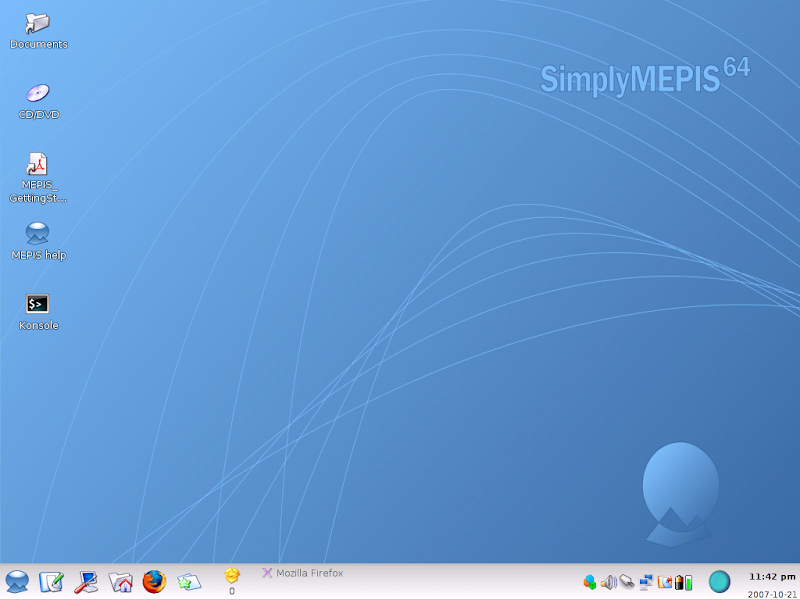
I have Mepis running on a laptop at home. It is also rock solid and easy to work with. The install was simple and it has been very reliable. The only difference between Mepis and Kubuntu is the look and feel. Both have run flawlessly and both outperform Vista on far lesser hardware. Since I have not used Mepis in a working environment yet, I still give the edge to Kubuntu/Ubuntu. I have 6 months of real life work experience with Ubuntu in a Windows shop and I have been very productive in that time frame. I have not been as productive with Freespire due to its random issues.
Over the next few weeks/months I will spend more time evaluating Mepis and OpenSuse. I would be happy to experiment with other distributions if anyone wants my opinion on a distribution that I have not mentioned.
The family was gone most of Saturday so I took the chance to download and install various Linux distributions. Here is the list that I installed this weekend:
Now that I had all my tools and all my CDs ready, I started installing them on various computers. All four installs were simple and straight forward. The Freespire install is probably the best for those who have never seen anything other then Windows in their life. The partition tool was also very intuitive. Kubuntu has an extremely easy 6 step install process. Unless you are getting fancy with partitioning, this should be simple to do. The Mepis install was also very easy although not as intuitive. And finally the Suse install took a couple of tries until it was successful.
Then I tried to get fancy and install multiple distributions on the same laptop. That's when things started going south for me. Keep in mind that I am a software guy, not a system administrator so I am not a pro in this area. After several tries I finally got Mepis and Kubuntu to dual boot from the same laptop. Unfortunately I lost my ability to connect to my wireless network. It was working when I had Mepis running but I think the second distribution may be causing a conflict. I hope to resolve it soon.
My parents were over today and they were using Kubuntu and liked it. If my parents can use Linux, anyone can. They were getting frustrated with their five year old PC running XP and were ready to buy a new one. This week I will convert them to Kubuntu and their PC will start performing for them again. That should save them a few grand.
I took some screenshots of each Linux distribution and posted them on Picasaweb. Feel free to view the slideshows below and go to the photo album for close ups.
Mepis
Freespire
Kubuntu

I have many colleagues and friends who have been through messy divorces. In each case, these poor guys have gone from having the good life, to having issues, to losing half of their assets (or more). I just filed my divorce papers for Microsoft's
With all jokes aside, I recently posted my positive experience of installing Kubuntu on an old 1.7GHz machine that was taking 10 minutes to boot up XP. The registry was beyond repair and the various programs like Spybot, Adaware, PitStop, Defrag, and many others did little to improve performance. The desktop was destined for the dumpster. Enter Kubuntu and this PC now works like a champ. I installed Wine on it and got IE 6.0 running on it for those foolish websites that target only the Microsoft browser. My daughter plays various Flash enabled games on Club Penguin. On my brand new Dell Inspiron 1721 laptop running
So I installed Mepis 64 bit on my laptop and wiped out Vista. My daughter launched her game and it loaded instantly. Her exact words were, "Wow, this is so fast". My response was "Good Bye Vista!". So let's take the religion out of this discussion and talk about the investment I just made on my hardware. I bought two brand new identical laptops for $1000 each. These laptops have a Dual-core 64 bit processor with a Gig of memory. Now the Microsoft fanatics would cry, "why would you buy a laptop with only a Gig of memory?" My answer is, my budget doesn't allow for laptops that cost $2K-$3K and the main usage of these laptops are web browsing, email, and word processing. None of those functions require a ton of computer resources. I also have a monster machine (Dell XPS gaming machine) for all of our intense gaming needs (Battlefield 2, Civilization IV, Age of Empires, etc.). So two laptops for $2000 dollars was what I was willing to spend. Unfortunately, Dell did not offer XP or Linux on these machines. The cost of Vista is about $300. So 30% of the cost of my laptops was for an operating system that drained 50% of my resources and performed poorly.
I am not a financial analyst, but that is not a good spend of money. Now that I have eliminated Vista from the equation, I get a better ROI on my investment, even after acknowledging that I threw away $300 worth of software. As I mentioned in a post called Vista - What were they thinking, my wife dislikes Vista so much that she refuses to use the new laptop that I bought her for her birthday (due to it's poor performance). Now she is happy with the laptop running Mepis and the old clunker running Kubuntu.
My plan now is to move all of our computers except the gaming machine to Linux. The gaming machine will stay on XP while the laptops will leverage Wine and virtual machines for those Windows centric programs that won't run on Linux. I will install various Linux distributions and allow for the user to select from a list of distributions when booting the system. Eventually we will probably settle on a distribution like Kubuntu of Freespire that has an interface similar to Windows for an easy transition.
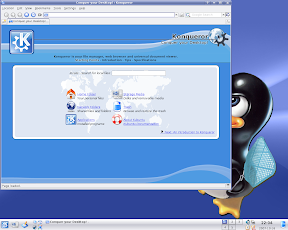 |
| From Kubuntu |
So for all of the folks out there who have gone through a messy divorce, divorcing your Vista operating system is the only divorce in town where you get your assets back and still get to keep your kids!


