Enterprise Initiatives

This blog focuses on Enterprise IT topics such as Enterprise Architecture, Portfolio Management, Change Management, Business Process Management, and recaps various technology events and news.


Showing posts with label Ubuntu. Show all posts


I have been experimenting with various flavors of Linux over the last several months. The last time I wrote about it I mentioned that on my newer 64 bit laptops, only Mepis could connect to my wireless network out of the box. On the desktops and older hardware, all of the distros that I installed successfully had no compatibility issues with any hardware components. They also could see my network.

This weekend I finally found some time to look into the wireless issues on both the Ubuntu and Kubuntu distributions. After much experimentation and little success, I finally found a thread that solved my problems. In an effort to help others, I felt that I should post my fix here.

This thread is specifically targeted for Dell laptop users running (K)Ubuntu. There are a lot of steps but if you follow them all you will have your laptop connected to your wireless network in no time. Before you start, make sure the wireless switch on the front left hand side of your laptop is in the on position. One note, I did have to make a few minor adjustments to the script that was posted. First of all, I had several commands fail due to permissions. I had to do a few chmod commands to allow write access to various directories and files. Second, there were two wget commands that are issued to retrieve a file from Dell and the ndiswrapper file. I had to precede the commands with the command "sudo" to get the appropriate privileges.

wget http://ftp.us.dell.com/network/R151517.EXE
wget http://superb-east.dl.sourceforge.net/sourceforge/ndiswrapper/ndiswrapper-1.51.tar.gz

should change to

sudo wget http://ftp.us.dell.com/network/R151517.EXE
sudo wget http://superb-east.dl.sourceforge.net/sourceforge/ndiswrapper/ndiswrapper-1.51.tar.gz

Once I finished running all of the necessary commands and rebooted, my wireless light indicator finally shined blue. Then I had to install the Wifi-radar using adept_installer. Once I did that my laptop was able to connect to my network and I became a happy man.

I also had an issue with my sound card. A quick search on the Ubuntu Forum and I found this simple one liner.

sudo apt-get install linux-backports-modules-generic and then reboot.

I cut and pasted the commands, ran it, rebooted, and presto....Sound! If it still does not work for you, make sure your volume controls are not set to low or mute.

So hopefully some people will find this post and quickly resolve their issues on the newer Dell laptops. Once these issues are put to bed, you can sit back and enjoy the experience of a fast, secure, and a free operating system for those like me who dumped Vista.

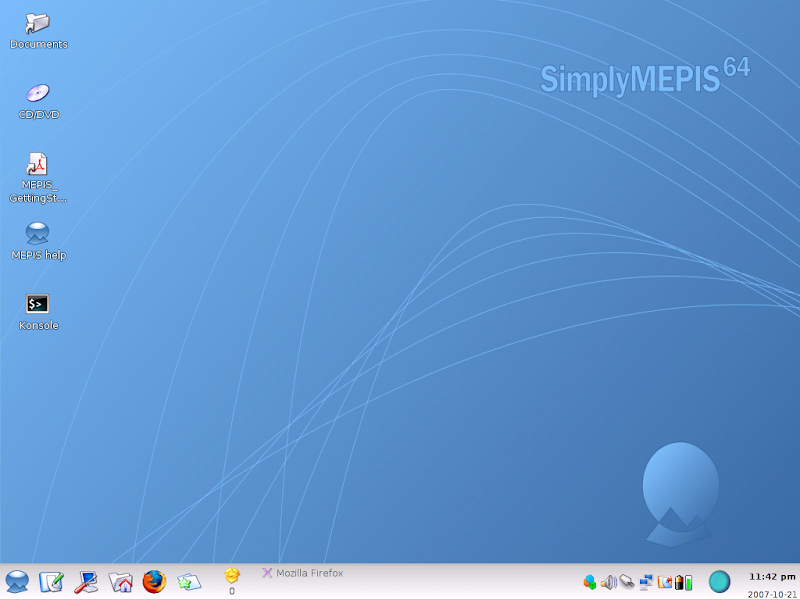


Last week I wrote the first part of this series which discussed the installation of Mepis, Kubuntu, OpenSuse, and Freespire on my laptops. Now that I have had time to play with each of the operating systems I would like to discuss my impressions of the different distributions. I have not spent any time on OpenSuse yet so I will leave it out of the discussion.

One point I'd like to make is that all of these distributions allow you to use various open source products for multimedia, system tools, utilities, internet tools, etc. The difference is that they each come with a different set of products that get installed when you load the operating system. All of them have some type of package manager that allows you to easily download and install literally hundreds of open source products. So although some distributions have better tools that you get installed out of the box, this should not be considered a key differentiator for any Linux distribution. For example, I think the Adept package manager is by far the best tool for installing open source products on your Linux box. Some distributions come with it, others come with the Synaptic package manager. For the distributions that don't have Adept, I immediately download it. The major differentiator for me is the ease of install. It doesn't get much easier then Kubuntu's six step install wizard!


I have been using Kubuntu at home for a while now and have been using Ubuntu at work since April of this year. Kubuntu brings the KDE interface to Ubuntu, hence the name Kubuntu. Both have been rock solid and perform well. I prefer Kubuntu and the KDE interface. Last week I replaced Ubuntu with Freespire on my work laptop. Freespire is targeted for first time Linux users and tries real hard create a Windows-like user experience. At first I thought this was pretty cool but eventually I got tired of it. I much prefer the look and feel of Kubuntu and I have no desire to have my Linux distribution resemble the Windows environment. Freespire also seems to be a bit buggy. Open Office goes into recovery mode often when initially opening documents. This does not happen on the other distributions that I have tested. Later tonight I will move off of Freespire and give Mepis a try on my work PC.


I have Mepis running on a laptop at home. It is also rock solid and easy to work with. The install was simple and it has been very reliable. The only difference between Mepis and Kubuntu is the look and feel. Both have run flawlessly and both outperform Vista on far lesser hardware. Since I have not used Mepis in a working environment yet, I still give the edge to Kubuntu/Ubuntu. I have 6 months of real life work experience with Ubuntu in a Windows shop and I have been very productive in that time frame. I have not been as productive with Freespire due to its random issues.

Over the next few weeks/months I will spend more time evaluating Mepis and OpenSuse. I would be happy to experiment with other distributions if anyone wants my opinion on a distribution that I have not mentioned.


I wrote Vista first impressions a few weeks ago and shared my less then happy initial experiences with Vista on the new laptop I bought for my wife. It has been two weeks now and my wife, a typical non-technical user, refuses to use the new laptop. She no longer thinks her four year old laptop running XP is slow because it is twice as fast as her brand spanking new laptop with the resource gobbling Vista on it. So my kids share this laptop and I constantly hear screams of "it's shutting down again!", "why is this so slow?", and "can we trade it in?". This is not what I had in mind when I dropped a grand on the new Dell.

So I keep searching the web to see if anyone is happy with Vista. I go to Microsoft friendly websites like eWeek and PCMag.com and find articles like these:

Night of the Living Vista

The Vista Irrelevancy

Ok, so it's not just me, a pro-Linux guy who is feeling the pain. Popular blogger and pro-Microsoft fan Chris Perillo is not a big fan of Vista either. The more I search the more complaining I encounter. I realize that some of this is people's resistance to change. But I don't recall an all out revolt like this when XP came out. When XP came out, it was a significant improvement over the blue screen, crashing Win95 & Win98 operating systems. Those two versions were absolutely pitiful from a reliability and performance standpoint.

So what the heck was Ballmer and the boys thinking when they spent years developing this bloated resource consuming beast they call Vista? Were they seriously targeting business? Any IT shop that would buy all new computers to upgrade to Vista definitely does not understand the economics of business. Where is the ROI? What do the users get for the investment? Are they ready for the increase in support calls? I've said it before and I'll say it again, the majority of business users spend most of their time using email, browsers, or a third party application (CRM, ERP, etc.). Most users don't need a ton of hardware to perform their daily tasks. Doesn't Microsoft understand this?

For me, I have two options. First is to call Dell and beg for an XP license so I can get off of Vista or second, move to Linux. With the new laptop, we now have five machines in the house. I am moving three to Ubuntu and keeping two on XP. My wife doesn't play any games so she will be fine on Ubuntu. She has been using Firefox, Open Office, and Thunderbird on XP for years so the switch to Linux will be simple for her. My kids play a few Microsoft games like Zoo Tycoon so they will need XP. For me, the only thing I need XP for is Battlefield 2. I have been using Ubuntu at work for six months now and don't miss the constant rebooting, messed up registries, and blue screens.

Yesterday I was on the new laptop and I dragged the Open Office install and setup icon on the desktop to the recycle bin and I got a status bar that went on for over a minute. I finally canceled it, highlighted the icon, and hit the delete key and it deleted it. Little annoyances like this are becoming so common in Vista that I start to question Microsoft's ability to test. We are talking about a new laptop with next to no new software installed on it and minimal usage thus far. What the heck is the user experience going to be like after my kids mess with the laptop for the next few months? All I now is that if my team at work wrote software this bad we would be out of a job.

I'll leave you with this funny Vista installation video on YouTube.


A few weeks ago I posted a few articles about Open Source (Still afraid of Open Source?, Eating my own dog food, and Open Source and loving it!). I have now been Microsoft-Free at work for about 7 weeks. I have also found solutions for almost all of the initial hurdles I encountered in the first week. Here is the list:

  1. Email - I now have Thunderbird working flawlessly as my email client in sync with Exchange. I do need to talk to the Exchange admin to change a setting on the Exchange Server so I can use the Calendar functionality with Sunbird. I am currently use Webmail for my calendar.
  2. Office - Open Office has worked well with Word, Power Point, Excel, and Adobe documents. I can use Wine to install Visio on my Ubuntu desktop. This doesn't allow me to be totally Microsoft-Free but there is no answer for Visio's proprietary format that I am aware of. This is not an issue with Open Source, the problem is that Microsoft doesn't use an open standard for their Visio product. Open Office Draw works fine for creating new drawings but can't import Visio documents saved in Visio format. I also downloaded OxygenOffice Professional that gives me the much needed templates and clip art that Open Office was missing.
  3. Browser - I have been using Firefox at work for years so this a no brainer.
  4. Printer - I do have one unresolved issue. I have an old HP Laserjet (about 8 years old). Although I can see the driver I can't get the printer to work. I have not invested a ton of time trying to fix it.
Before all of the Microsoft defenders start slamming me, let me put my disclaimers out. My goal of this article is to prove that people can be productive at work without the need of Microsoft software. I am not saying that because I can be productive that everyone should abandon Microsoft and start a project to implement Linux corporate wide. However, I do recommend to those who are open to exploring alternatives that they should start a small pilot project with a handful of desktop users. I think a 5-10 person pilot with Ubuntu or Mepis would be a great way to learn about the opportunities and challenges that an Open Source OS presents. This is low risk and high return. A pilot like this will give your IT shop an opportunity to try out alternatives without disrupting the day to day business.

When I first started my experiment I was trying to keep it a secret out of fear of attacks from angry Microsoft worshipers (especially from the admins and desktop support). What I am finding out is that most of the folks that I was hiding from are sick and tired of supporting Windows and are proponents of Linux. Several of them are using Linux at home. One of the guys I talked to has Vista and XP installed on his laptop. He swaps out the hard drive when switching between OS's. He is less then impressed with Vista and complains about the slow boot time (2 times slower then XP). I recently moved to a new office and a desktop guy saw my Ubuntu desktop when I was moving. I expected an ear full but instead the guy said he fully supports a move to Ubuntu and wished the company would move in that direction. These stories are coming from Microsoft certified engineers who have spent years supporting Microsoft tools. These stories are not coming from anti-Microsoft people who worship Linux.

There is one myth I would like to discuss. I keep hearing how difficult it is to install Linux. I have two comments about this:
  1. I found the Ubuntu install to be quite simple. Maybe some of the older versions of Linux where cumbersome but the recent versions are very straightforward.
  2. If an organization chooses to go with Linux on the desktop, trained professionals will be responsible for installing Linux. This is how Windows gets installed today. People tend to accept that fact that Windows is a simple install because they receive their desktops or laptops already configured. Is the Windows install really all that much easier then the Linux install or is it the fact that most people never have to bother installing Windows?
Once again, these are my observations. I have been using Windows for years. I don't hate Windows, although I am not a fan of Microsoft as a company. I do give Microsoft credit for creating a product that has changed computing forever. For companies with huge budgets it might make sense to continue down the Microsoft path. For small and medium sized companies with limited budgets, startups, and educational or government funded operations, I believe they should consider exploring alternatives. The worst thing that can happen with a small pilot is that you discover that Linux won't work for your organization. At least then you can sleep at night knowing you did your homework and made a strategic decision based on real information. One word of caution, though. If you take on a pilot, make sure you have a few people on the team who are not married to Windows or Linux. Get some folks with an open mind who are interested in the overall good of the company and are not married to a certain technology.


I wrote a few articles about my recent switch to Ubuntu and my position on open source. Today I stumbled upon Alan Pope's article called "The Truth about Switching".

Alan's first bullet goes like this...

01. People will ridicule you for using Ubuntu


I have witnessed this first hand. A few people at work have busted my chops (in a nice way) for switching. Of course, they have never used Linux themselves. A fellow blogger took some shots at me and some how ended by comparing the open source movement to a communist revolution. I was almost ready to raise the terror alert to Red.


With all joking aside, I have found a few spare hours in my busy day to find additional open source products for my toolbox. Today I downloaded the Open Source Visio equivalent called Draw from OpenOffice.org. Draw worked great and was able to import files from many different formats. A cool blog that I subscribe to had a funny article about Visio and listed a few other alternatives.


I am currently working on a big BPM/SOA implementation. The team has a ton of requirements in a Word document that has use cases mapped to each requirement. This will quickly become a pain in the butt to manage and screams for a requirements management tool that will feed into our Mercury testing tools. Unfortunately, I have no budget for a requirements tool. Can you say Open Source to the rescue? I have started researching requirements tools and expect to have a solution in place and running by next week. The total cost will be...you guessed it...Zero dollars.


So let's look at all of the open source components that are being used on this project. First we will start with my desktop. I am using Ubunto, Open Office (for word, excel, power point, and visio), OpenWorkbench (for MS Project), and Firefox for my browser. Our BPM/SOA stack are all BEA products that leverage Eclipse. Our source control, defect tracking, and requirements management tools are all open source. We have the option to run our stack on Linux or Windows. We have more expertise on the Windows platform so we will stick with Windows there.

One place that I believe that Open Source really shines is in IT tools. In my lifetime, it has been very difficult to get funding for software development tools. The business invests so much money in infrastructure, CRM, financial systems, HR systems, and other enterprise initiatives that it is usually challenging to justify spending $100K-$300K on SDLC tools like portfolio management suites & CMDBs. Development tools like Reflection (a terminal emulator), Toad (a SQL tool), and many others are expensive. Multiply the cost of the license by your number of developers and the costs can get astronomical. Tools like these are no-brainers for open source alternatives. They are low risk replacements and save thousands of dollars.

That's my rant for today. I'll be back to share my experience of our new Open Source requirements tool. I have already found a few tools that have a decent sized community. They output xml which we can feed into our Mercury suite. This will eliminate the need for me to pay for licenses for our outsourcing partners. Stay tuned.


I recently have experimented with Ubuntu at work and wrote an article called "Eat my own dog food" about my experience. I got into a philosophical debate about the value of open source with one of my readers and also was the recipient of smears and smirks from a few folks at work.

Obviously there are a lot of folks in IT who are not doing their homework when it comes to Open Source. In this post I will educate those who haven't been paying attention to the monumental shift in acceptance of Open Source technologies over the last few years.

So where do I start? For those who still doubt and/or dislike Open Source, here is the definition of Open Source from www.opensource.org

"Open source is a development method for software that harnesses the power of distributed peer review and transparency of process. The promise of open source is better quality, higher reliability, more flexibility, lower cost, and an end to predatory vendor lock-in."

For the uninformed, Open Source is more then just Linux on the desktop. Ok, enough housekeeping.

Now let's dive into how companies are making strategic business decisions to embrace Open Source technologies. In this article from CNet, Forrester Research states that "
over 60 percent of 140 companies surveyed plan to use, or are using, open-source products". Many new startups are leveraging open source to reduce startup costs and improve speed to market. The article continues by saying, "By tapping into the open-source world, fledgling software outfits can assemble their software products from freely available components". Continuing further through the article they point out how "established software companies, such as BEA Systems, Computer Associates International, IBM and Novell, have spearheaded open-source projects as a way of vetting new code and getting their products into the hands of potential customers."

This is a very important point. Many of the people who mock Open Source are using it in the products and services they use everyday. Google and Amazon both run on Linux and Yahoo runs on BSD. IBM is a big believer in Linux and both IBM and BEA leverage Eclipse for their development environment. Go to this page and you will see Oracle pushing Python, Ruby, and many others. So if using Open Source is strategic for billion dollar companies like IBM, Oracle, and BEA, why do I get crazy looks when I mention it at work or on this blog?

Here is another believer. Researcher IDC states that Open Source is "...the most significant all-encompassing and long-term trend that the software industry has seen since the early 1980s and predicted it would fundamentally change the value proposition of packaged software for customers." But don't stop there. Take a look at what is going on around the world. Apache is powering 58% of all websites. Firefox has increased its market share by over 43% in the last year up to 13.67%. IE is down to 79% from 99% a few years ago. Some universities are moving to gmail and other free alternatives because they are tired of the costs and the headaches that come with trying to maintain and secure Outlook. IBM just endorsed MySQL. Dell is now shipping laptops and PC's with Ubuntu. I could go on forever but you get the point by now.

What is even more interesting to me is that with the adoption of SaaS, Web 2.0 technologies, and services, the relevance and the dependency on operating systems is dramatically decreasing. Once you start running your critical applications using the SaaS model or you start deploying your applications with robust UIs in a browser, who really cares what the OS is any more?

You can ignore Open Source but it isn't going away. As leaders in IT, we have a responsibility to the folks who write us checks to put aside our personal preferences and pursue technologies that make good business sense. For those companies that put together 2 and 3 year plans, you should at least have a strategy to investigate opportunities to leverage Open Source and spend a few R&D dollars to understand it better.


After writing an article that discussed embracing open source, one of my colleagues entered my office and gave me the "Eat your own Dog Food" speech. So he downloaded Ubuntu Desktop for me using BitTorrent and burned me a CD. The install was simple and I was up an running in minutes. I have been running without one piece of Microsoft software on my laptop for three weeks now and I am loving it. Free at last, Free at last!


There are some challenges though. Open Office is a great replacement for Microsoft Office but I can't find a replacement to read existing Visio diagrams. Today I received an MS Project file that I couldn't open. I am sure if I search the net I can find an open source tool to do the job. I also had a problem with my printer driver which took some time to resolve. Thunderbird is a great email client but it doesn't have hooks into my Outlook Calendar so I can't use it for my corporate mail. I am using Evolution which is only marginal. When time allows I will test out Sunbird and Lightning.

But with all of that aside, I no longer wait for 5-10 minutes for my laptop to boot up. I don't wait forever for Outlook to come up in the mornings, and I don't get any system crashes. The blue screen of death is a distant memory and the daily reboot routine is no longer required. There are no stupid paper clips popping up asking me if I am sure that I know what I am doing.

I am sure my freedom will end when somebody in desktop services realizes that all of their Big Brother software is not being run on my laptop. I will enjoy the ride while it lasts.

I know the majority of the corporate world isn't quite ready to replace their Windows desktops with Linux yet, but I can tell you from my experience that Ubuntu is ready for prime time.

Subscribe to: Posts (Atom)

My favorite sayings

"If you don't know where you're going, any road will get you there"

"Before you build a better mouse trap, make sure you have some mice"